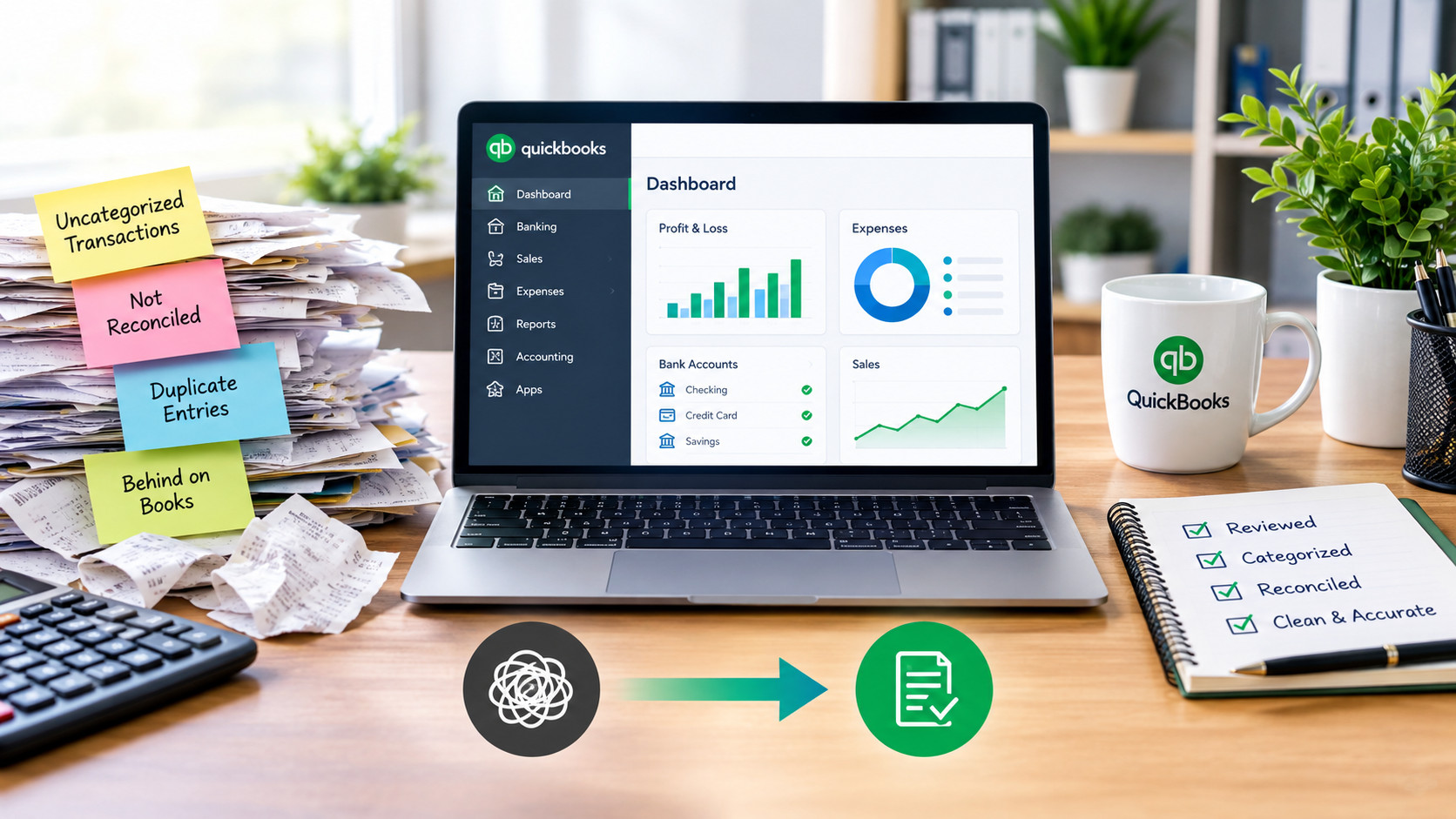
QuickBooks clean up services fix messy, inaccurate, or outdated books by reviewing every transaction, correcting miscategorized entries, reconciling bank and credit card accounts, and bringing overdue bookkeeping fully up to date. Most clean up projects take between 3 and 10 business days, depending on how many months (or years) of records need to be caught up.
If you’ve opened QuickBooks and felt a wave of dread — uncategorized transactions piling up, accounts that haven’t been reconciled in months, or numbers that just don’t look right — you’re not alone, and it’s a fixable problem. Here’s exactly what a QuickBooks clean up involves, how to know if you need one, and what to expect from the process.
What Is a QuickBooks Clean Up?
A QuickBooks clean up is the process of reviewing your existing books, finding and fixing errors, and reorganizing your data so your financial records are accurate. This is different from catch up bookkeeping, which specifically refers to recording and reconciling transactions for periods where bookkeeping simply wasn’t done at all. Most businesses need both at once — a combination clean up and catch up — because messy books and missing months tend to happen together.
Signs You Need a QuickBooks Clean Up
You likely need QuickBooks clean up services if you notice any of the following:
- A large “Uncategorized Income” or “Uncategorized Expense” balance
- Bank and credit card accounts that haven’t been reconciled in months
- Duplicate transactions or duplicate invoices
- A profit and loss statement that doesn’t match what you know is true about your business
- Undeposited funds sitting in QuickBooks that were never actually recorded as deposited
- You’re behind by weeks, months, or even years and don’t know where to start
Any one of these on its own is manageable. Several of them together usually means it’s time for a full clean up rather than trying to fix it piece by piece.
What’s Included in a QuickBooks Catch Up
A thorough QuickBooks catch up typically covers:
- Full transaction review — every entry from the period you’re behind on
- Categorization correction — fixing miscategorized income and expenses
- Bank and credit card reconciliation — matching QuickBooks to your actual statements
- Chart of accounts cleanup — removing duplicate or unnecessary accounts, organizing categories logically
- Duplicate and error correction — removing duplicate transactions, fixing double-entered invoices or payments
- Financial statement preparation — delivering an accurate profit and loss statement and balance sheet once everything is current
The Clean Up Process, Step by Step
Here’s what working with a bookkeeper on a QuickBooks clean up usually looks like:
- Initial books review — a bookkeeper reviews your current QuickBooks file to assess how far behind or how messy things are
- Scope and timeline confirmed — you’re told how many months or years need work, and roughly how long it will take
- Access granted — you invite the bookkeeper into QuickBooks as a team member (no passwords need to be shared)
- Transaction-by-transaction correction — every entry is reviewed, categorized, and reconciled
- Reports delivered — once complete, you receive accurate profit and loss and balance sheet reports
- Ongoing bookkeeping (optional) — many businesses move into monthly bookkeeping afterward to avoid falling behind again
How Long Does a QuickBooks Clean Up Take?
Timeline depends heavily on transaction volume and how far behind the books are:
| Situation | Typical Timeline |
|---|---|
| A few months behind, moderate transaction volume | 3–5 business days |
| Full year behind | 1–2 weeks |
| Multiple years behind or high transaction volume | 2–4+ weeks |
Businesses in Sanford and across Central Florida working with a local, responsive bookkeeping team often see faster turnaround than working with an unfamiliar freelancer, simply because communication and file access questions get resolved quickly.
What Does a QuickBooks Clean Up Cost?
Clean up pricing is usually based on how many months need to be corrected and how many transactions are involved, rather than a flat rate. A business a few months behind with low transaction volume will cost far less than one that’s multiple years behind with hundreds of monthly transactions. The most accurate way to get a number is a quick books review — see our QuickBooks Clean Up & Catch Up service for what’s included, or book a free consultation to get an exact estimate for your business.
Once your books are current, staying current is far less work than catching up again. See our Monthly Bookkeeping Services to keep things accurate going forward, or browse our full range of services.
For more on QuickBooks’ own recommended practices, Intuit publishes guidance directly on the QuickBooks Support site.
Frequently Asked Questions
What is included in QuickBooks clean up services? QuickBooks clean up services typically include reviewing and correcting miscategorized transactions, reconciling bank and credit card accounts, fixing duplicate entries, organizing the chart of accounts, and delivering accurate financial statements.
How do I know if I need a QuickBooks clean up? Common signs include a large uncategorized income or expense balance, unreconciled accounts, duplicate transactions, or a profit and loss statement that doesn’t match your actual business performance.
How long does a QuickBooks catch up take? Most QuickBooks clean up and catch up projects take between 3 business days and a few weeks, depending on how many months or years of records need correction and how many transactions are involved.
Can QuickBooks be cleaned up if I’m years behind? Yes. There’s no limit to how far back a clean up can go, as long as bank and credit card statements or other financial records are available to reconstruct the missing periods.
Do I need to share my QuickBooks password for a clean up? No. You can invite a bookkeeper as a team member directly inside QuickBooks Online, which keeps your login credentials private while still giving them the access needed to complete the work.
What happens after my QuickBooks clean up is finished? Most businesses move into ongoing monthly bookkeeping after a clean up to keep their books accurate and avoid falling behind again in the future.
Ready to Get Your QuickBooks Back in Order?
Messy or overdue books don’t have to stay that way. Book a free consultation with our Sanford, FL team to find out exactly what your QuickBooks clean up would involve, or visit our homepage to learn more.